 Android APK
WinWin App Download: APK for Android (2026)
The WinWin Android app on this page is an APK file: you download it straight from WinWin and install it yourself. Version 258.0.0 needs Android 7.0 or newer and is a 43.1 MB download. Below: the safe way to install it, what each permission does and how to check the file is genuine.
18+ · Free download from WinWin · Version 258.0.0, checked 17 Nov 2026
- Version
- 258.0.0
- Android
- 7.0+
- Download
- 43.1 MB
- Checked
- 17 Nov 2026
Register with code TCBONUS
New to WinWin? Enter TCBONUS in the promo code box when you register, in the app or on the website. The code goes in once, at sign-up.
Screenshots
WinWin on a phone
These screens are WinWin's website on a phone, so you can see the sports lobby, live betting and sign-up form before you install anything.

Mobile siteHome page with sports, live betting and casino shortcuts (India version). 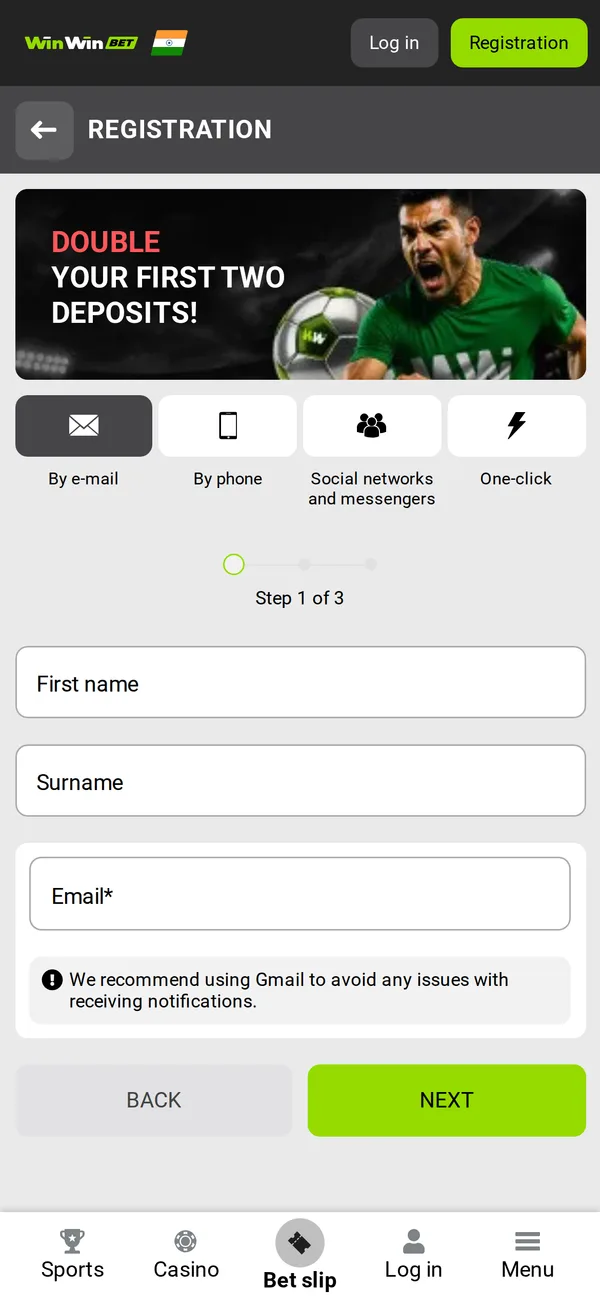
Mobile siteRegistration form. Enter the promo code in the promo code box before you press Register. 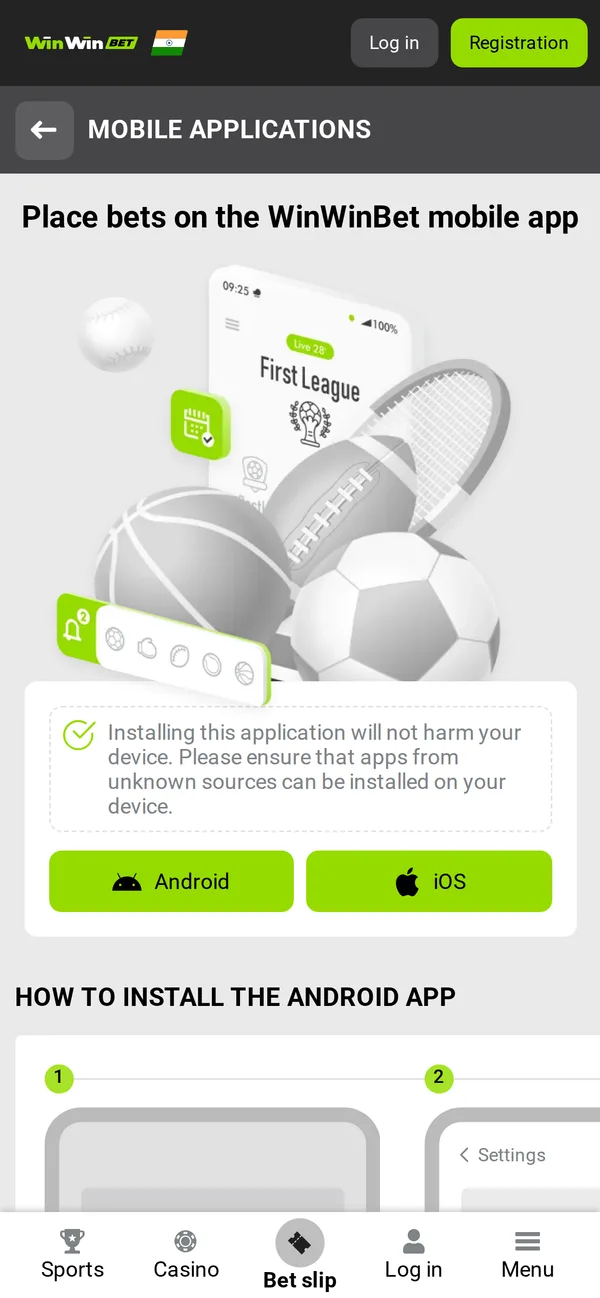
Mobile siteThe official app page with the Android download.
Install guide
How to install the WinWin APK
Six steps, about two minutes. You need Android 7.0 or newer and 43.1 MB free for the download.
- 1
Download the APK
Tap Download APK on this page. Your phone saves the WinWin file (43.1 MB) to Downloads; Chrome may warn that the file type can harm your device, which it says about every APK.
- 2
Allow installs from this source
Open the file. The first time, Android asks you to allow installs from your browser (Settings > Apps > Special access > Install unknown apps). Allow it for that one app only, not for everything.
- 3
Install
Tap Install and wait a few seconds. Android checks the file's signature as it installs; a damaged or altered file is refused.
- 4
Check it is the real app
Optional but wise: compare the signing certificate with the fingerprint in "Is this the real WinWin app?" below.
- 5
Open it and register
Open WinWin, tap Registration and enter TCBONUS in the promo code box before you confirm.
- 6
Turn the permission back off
Once installed, you can switch "Install unknown apps" off again for your browser. The app asks for its own permission when it needs to install an update.
Requirements
What your phone needs
| Operating system | Android 7.0 or newer |
|---|---|
| Download size | 43.1 MB |
| Space after install | About 87.6 MB |
| Processor | 64-bit or 32-bit ARM (arm64-v8a, armeabi-v7a, x86, x86_64) |
| Package name | org.winwin.client |
| Version | 258.0.0 (checked 17 Nov 2026) |
| Where it comes from | APK file from WinWin's own server |
| Price | Free |
Permissions
What the app can access
The WinWin app asks for 9 permissions. 7 of them need your OK (marked below): Android asks before granting those, and you can turn any of them off later in Settings > Apps > WinWin > Permissions.
CameraAsks firstLets the app use the camera, e.g. to photograph ID documents or scan QR codes.
MicrophoneAsks firstLets the app record audio, e.g. for voice calls to support.
LocationAsks firstLets the app see your location; betting apps use it to check you are in an allowed country.
Install appsAsks firstLets the app install its own updates, as it does not come from Google Play.
Display over other appsAsks firstLets the app show a window on top of other apps, e.g. a floating live stream.
Phone statusAsks firstLets the app read your phone's network and SIM status (not calls or messages).
StorageAsks firstLets the app read and save files, e.g. documents you upload or downloaded updates.
NotificationsLets the app send notifications such as bet results, score alerts and offers.
Fingerprint / face unlockLets you log in with your fingerprint or face instead of a password.
Version history
Versions we have checked
The download link serves version 258.0.0 (checked 17 Nov 2026). WinWin sometimes offers a newer build inside the app after you install it; accept it there and the app updates itself.
| Version | Size | First seen |
|---|---|---|
| 258.0.0 | 43.1 MB | 17 Nov 2026 |
App or browser?
WinWin app vs mobile site
| Feature | App | Mobile site |
|---|---|---|
| Install | APK, 43.1 MB | Nothing to install |
| Updates | In-app prompt, you confirm | Always the current version |
| Login | Password, fingerprint or face | Password |
| Alerts | Push notifications | None when the tab is closed |
| Phone storage | About 87.6 MB | Browser cache only |
| iPhone | No Android APK on iPhone | Works in Safari |
If you bet most days, the app is quicker: you stay logged in, alerts arrive for your bets and live pages load faster. If you bet now and then, or your phone is short of space, the mobile site does the same job without installing anything.
Open WinWin's mobile siteWinWin app FAQ
Is the WinWin app free?
Yes. The app and the APK download are free; you only pay in if you choose to deposit.
Is the WinWin APK safe to install?
The file from the button on this page comes from WinWin's own download server. Check its signing certificate against the SHA-256 fingerprint on this page; if they match, the app is genuine. Avoid APKs from file-sharing or "mod" sites.
Which Android version do I need?
Android 7.0 or newer. The download is 43.1 MB and the installed app takes about 87.6 MB.
Why is the WinWin app an APK file?
Google Play only lists real-money betting apps in some countries and under local licences, so in most places bookmakers offer their Android app as an APK from their own site. Where WinWin is on Google Play in your country, that version works too.
Is there a WinWin app for iPhone?
Not that we can link to yet. On an iPhone, use WinWin's mobile site in Safari: it covers the same sports and live betting.
How do I update the WinWin app?
The app tells you when a new version is out and downloads it itself; Android then asks you to confirm the update. You can also install a fresh APK from this page over the old one: your account and settings stay.
Can I use a promo code in the app?
Yes. Enter TCBONUS in the promo code box on the app's registration form. Our WinWin promo code page shows each step.
Can I bet without installing anything?
Yes. WinWin's mobile site works in any phone browser, with the same account, so you can try it first and install the app later.
Real-app check
Is this the real WinWin app?
Fake betting apps are a real risk: copies that look like WinWin but steal logins. Every genuine WinWin APK is signed with WinWin's own certificate, and Android refuses an update signed with a different one, so the certificate is the thing to check.
On a computer, run apksigner verify --print-certs on the file (part of the Android SDK) and compare the SHA-256 digest with the fingerprint here. On the phone, apps such as App Manager show the same certificate under the app's signatures.
We show the certificate, not a checksum of the file: bookmakers add a referral tag to each download and ship new versions often, so the file's hash changes while the certificate stays the same.
How to check this fingerprint on Windows, Mac or Linux- Package name
- org.winwin.client
- Signing certificate SHA-256
- 99:D2:34:49:62:9A:7E:A2:D3:19:AC:43:68:5A:AE:28:17:B9:CC:B0:94:A6:2F:8E:AE:E9:F6:87:AC:5A:D4:38
- Checked
- 17 Nov 2026
- Version checked
- 258.0.0
Get the WinWin app
Version 258.0.0 · Android 7.0+ · 43.1 MB
Full WinWin reviewWinWin promo codeAll betting apps
18+ only. Gamble responsibly: set limits and never bet more than you can afford to lose.
More apps